S3 API and CLI Access
Get the S3 Endpoint URL
In the bucket's Bucket Settings tab, copy the S3 Endpoint link. It should look like this:
https://object-store.<region-name>.acvile.cloud/<bucket-name>
You can determine the the S3 Endpoint URL by removing the /<bucket-name> path:
S3 Endpoint URL example
https://object-store.eu-east-1.acvile.cloud
Create API Credentials
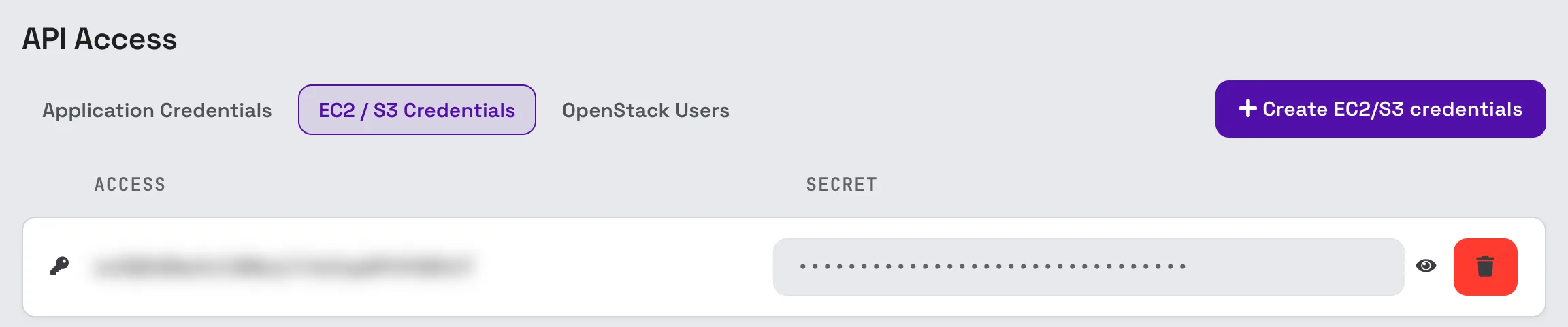
In the console, open API Access (under Project Management in the left sidebar), go to the EC2 / S3 Credentials tab and click Create EC2/S3 credentials. You can also get there from the S3 API tab of Object Storage.
Each pair shows its access key, and its secret behind the eye icon.
AWS CLI
This guide assumes you've already installed the AWS CLI on your computer.
Edit your ~/.aws/credentials file to add the access and secret key.
[default]
aws_access_key_id = <access_key>
aws_secret_access_key = <secret_key>
region = eu-east-1
Specify the S3 Endpoint URL to the --endpoint-url parameter of the aws s3 command.
List the available buckets
aws --endpoint-url https://object-store.eu-east-1.acvile.cloud s3 ls
API access (AWS SDK)
You can easily integrate the S3 API into your application by using an official AWS S3 SDK available for your programming
language.
Here is a convenient list: